
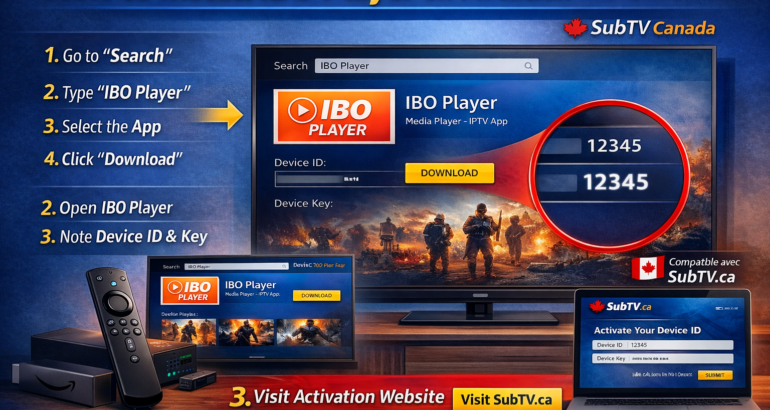
If you’re looking to enjoy high-quality streaming on your Amazon Firestick, installing IBO Player is one of the easiest and most efficient solutions.
At SubTV.ca, we provide licensed IPTV services in Canada, fully compatible with leading applications like IBO Player, giving you access to smooth HD and 4K streaming.
In this guide, we’ll show you step-by-step how to install IBO Player on Firestick and connect it to your SubTV subscription.
What Is IBO Player?
IBO Player is a premium IPTV media player that allows users to stream content through:
M3U playlist URL
Xtream Codes login
EPG integration
HD and 4K playback
Important: IBO Player itself does not provide channels. It works with licensed IPTV providers like SubTV Canada.
Step 1: Install IBO Player on Firestick
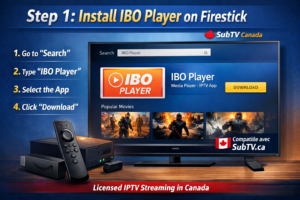
Method 1: Install from Amazon App Store (Recommended)
Turn on your Firestick.
Go to the Search icon.
Type IBO Player.
Select the official app.
Click Download / Get.
Open the app after installation.
Step 2: Get Your Device ID
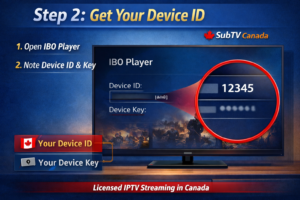
When you open IBO Player for the first time:
You will see a Device ID
You will see a Device Key
Keep this information — you will need it to activate your app.
Step 3: Activate IBO Player with Your SubTV Account
Visit the official IBO Player activation website.
Enter your Device ID and Device Key.
Enter your SubTV M3U link or Xtream Codes login details.
Click Save.
Restart the app on Firestick.
Your channels and content should now load instantly.
Best Streaming Settings for Canadian Users
For optimal performance with SubTV on Firestick:
Minimum 25 Mbps internet for HD
40+ Mbps recommended for 4K
Use Ethernet adapter for maximum stability
Restart your modem monthly
Keep Firestick software updated
SubTV servers are optimized for Canadian connections, ensuring smooth playback with minimal buffering.
Common Issues & Solutions
IBO Player Not Connecting?
Check your internet connection
Restart Firestick
Verify your SubTV login credentials
Clear app cache
Buffering Issues?
Switch to wired connection
Reduce background apps
Test your speed on Firestick
If issues continue, SubTV support is available to assist you quickly.
Why Choose SubTV Canada?
SubTV.ca offers:
✔ Licensed IPTV service
✔ Canadian-friendly streaming servers
✔ HD & 4K quality
✔ Compatible with IBO Player, Firestick & Smart TVs
✔ Responsive customer support
Whether you’re watching sports, movies, or live TV, SubTV provides a stable and premium viewing experience across Canada.
Final Thoughts
Installing IBO Player on Firestick takes only a few minutes. Once activated with your SubTV account, you can enjoy high-quality streaming directly on your TV.
Ready to get started?
🌐 Visit https://subtv.ca
🇨🇦 Your licensed IPTV solution in Canada